Have an Invite Code?Click Here →

iPhone co-parenting apps · 2027

The best iPhone co-parenting app of 2027.

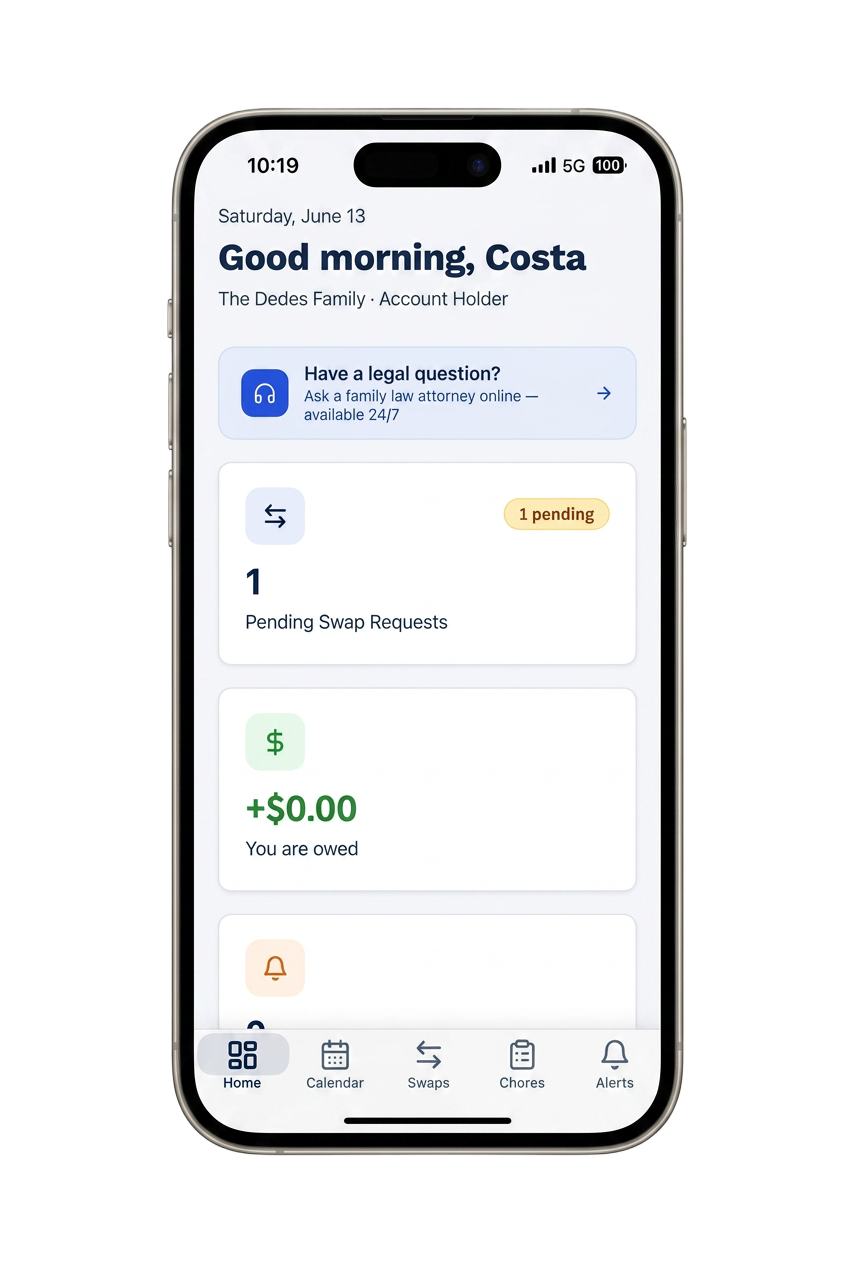
Optimized for iOS 19 in 2027: Face ID sign-in, Home Screen and Lock Screen widgets for the next exchange, Live Activities during handoffs, and offline support that syncs when you're back on Wi-Fi. Court-ready records included — free.

100% free — no credit card, no trial, no paywall
Best iPhone co-parenting app 2027

Native iOS feel

Face ID, Widgets, Live Activities, Shortcuts, and Focus mode integration.

Zero App Store friction

Install directly from Safari as a PWA — no App Store account needed.

Works cross-platform

Your co-parent can be on Android — no more 'iMessage vs SMS' problems.

What makes an iPhone co-parenting app great in 2027

iOS 19 raised the bar for utility apps: Lock Screen widgets that surface the next exchange, Live Activities that show handoffs in progress, App Intents so Siri can log a transfer or draft a message, and biometric session recovery that never leaks a token to the browser.

CustodyTrac ships all of these. Most 2027 competitors are still updating their iOS apps to the pre-iOS-18 SDK; CustodyTrac is built for what iPhone users actually use today.

Cross-platform without compromises

Co-parenting rarely means both parents on the same platform. CustodyTrac gives the iPhone parent a native-feeling experience and the Android parent an equally native-feeling one — same data, same timestamps, same court-ready record.

What you get

  • Face ID sign-in and app lock.
  • Home Screen + Lock Screen widgets for the next exchange.
  • Live Activities during active handoffs.
  • Siri Shortcuts for log-a-transfer and quick messages.
  • Full offline support with automatic sync.
  • PWA install from Safari — no App Store required.
  • Works seamlessly with an Android co-parent.
  • Every feature free — same as the Android and web version.

Frequently asked questions

What's the best iPhone co-parenting app in 2027?
CustodyTrac. It's optimized for iOS 19 with Face ID sign-in, Home Screen and Lock Screen widgets for the next exchange, Live Activities for handoffs in progress, and offline support that syncs the moment you're back online — plus every feature is free.
Does CustodyTrac work with iOS Widgets and Live Activities?
Yes. In 2027 CustodyTrac ships Home Screen and Lock Screen widgets showing the next custody exchange, unread messages, and outstanding expense balance, plus Live Activities during an active handoff so both parents can see status in real time.
Is there an iPad version?
CustodyTrac runs as a full iPad experience via the web app plus PWA install — split-view friendly, Apple Pencil compatible for annotating expense receipts and incident notes.
Does it use iCloud?
CustodyTrac syncs through its own cloud so both parents (and your attorney) see the same record regardless of Apple ID. iCloud isn't required — meaning it works for co-parents on different platforms without setup friction.
Do I need to install anything from the App Store?
In 2027 you can install CustodyTrac directly from Safari as a PWA (Add to Home Screen) — no App Store account required, and it behaves like a native app with push notifications, offline support, and biometric sign-in.

Free for both parents. Forever.

Every CustodyTrac feature is available at no cost. No paywalls, no upsells, no locked reports.

Create your free account